
Tools
ChatGPT Search: OpenAI's Answer to Google
Use ChatGPT Search for your research with real-time web search and precise source citations.
In November, OpenAI introduced a new feature for ChatGPT: ChatGPT with Search. For you as a modern knowledge worker, this means no more time-consuming research and browsing through countless websites. In this article, you'll learn everything about the new feature and how to use it optimally in your daily work.
What exactly is ChatGPT with Search?
The technical details
- Automatic web search based on your questions
- New search icon function for manual searches
- Source citations for all search results with Sources button
- Based on an optimized version of GPT-4o
- Real-time access to information such as: sports scores, stock prices, news, weather forecasts
- UTM tracking for all external links (utm_source=chatgpt.com)
- Response times comparable to traditional search engines
- Ability to find articles from the last hour
- Intelligent decision on when web search is necessary
- Context-aware question-answer system
Market context and competition
- Google currently dominates with 89.33% market share
- Bing follows with 4.15%
- OpenAI now positions itself as a direct competitor
- Partnerships with top publishers like Condé Nast, Time Magazine, and Financial Times
Comparison with other AI search systems
- ChatGPT: Manual and automatic search, source citation sidebar, interactive maps
- Google Gemini: Integration with traditional search, ad-supported, extensive knowledge graph
- Microsoft Copilot: Bing integration, multimodal search, shopping features
- Perplexity: Specialized AI search assistant with web integration
- Mistral Le Chat: European alternative with web search functions
Meta is reportedly working on its own AI search solution, while Google recorded search revenue of $49.4 billion in Q3 2024. The race for AI-powered web search is in full swing, with various providers positioning themselves with different focuses.
Availability
- Now available for ChatGPT Plus and Team subscribers
- Coming to Enterprise and Education users in the coming weeks
- Free version to follow in the coming months
- Access via chatgpt.com and mobile apps
The benefits for your daily work
"ChatGPT's strength lies in its ability to provide a more personalized, interactive experience, like consulting with a knowledgeable assistant, rather than sifting through links."
Time savings
- No more multiple search queries needed
- Context-related follow-up questions possible
- Direct integration of images and map displays
Improved accuracy
- Current and relevant results
- Verified sources through media partnerships
- Transparent source citations
Added value on the job
- Faster research for meetings and presentations
- More efficient information gathering for reports
- Simplified market and competitive analyses
Practical examples
Example 1: Meeting preparation
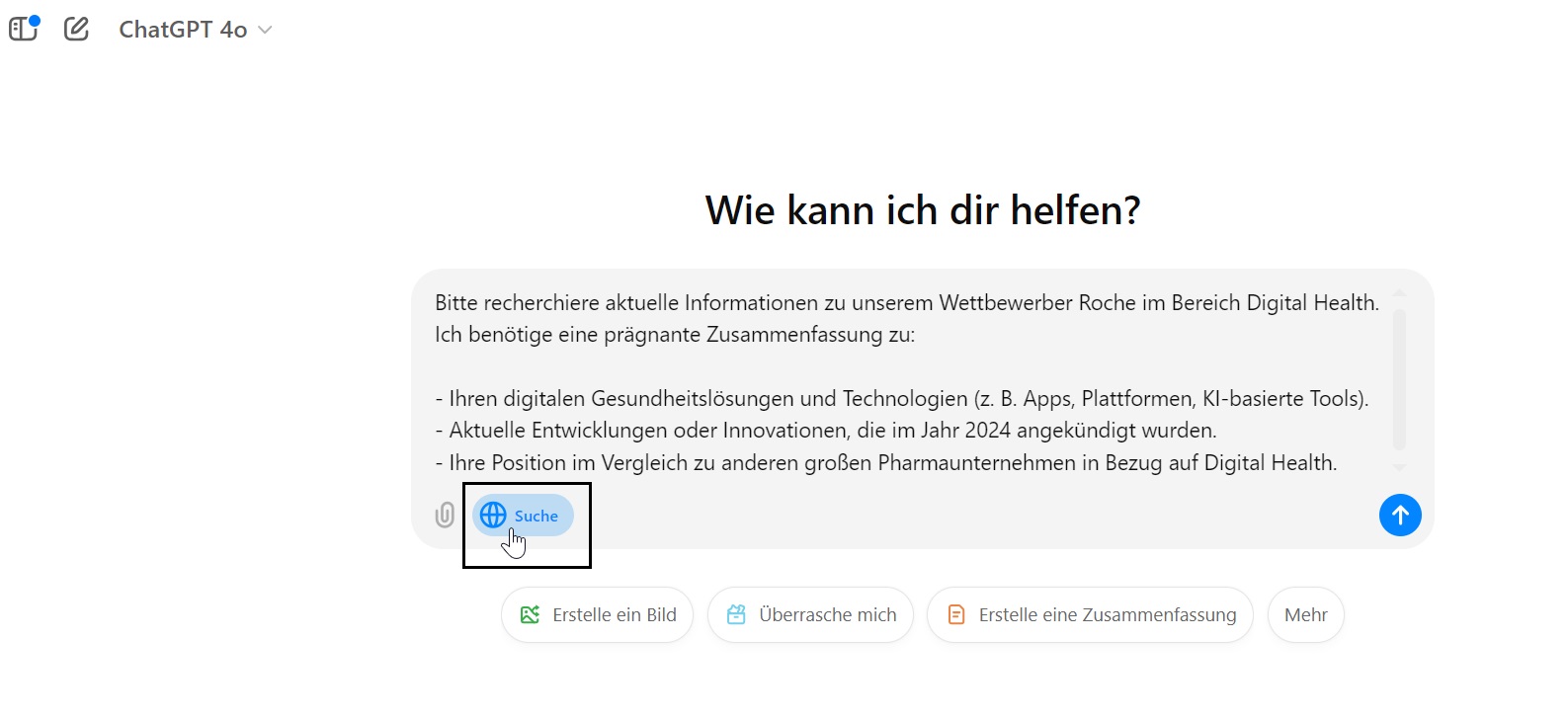
You need to quickly prepare for an important meeting and need current information about a competitor. Instead of opening multiple tabs and searching different sources, you simply ask ChatGPT targeted questions. The tool delivers summarized information with source citations, perfect for your presentation.
Step 1: Activate "ChatGPT Search" and enter your question.
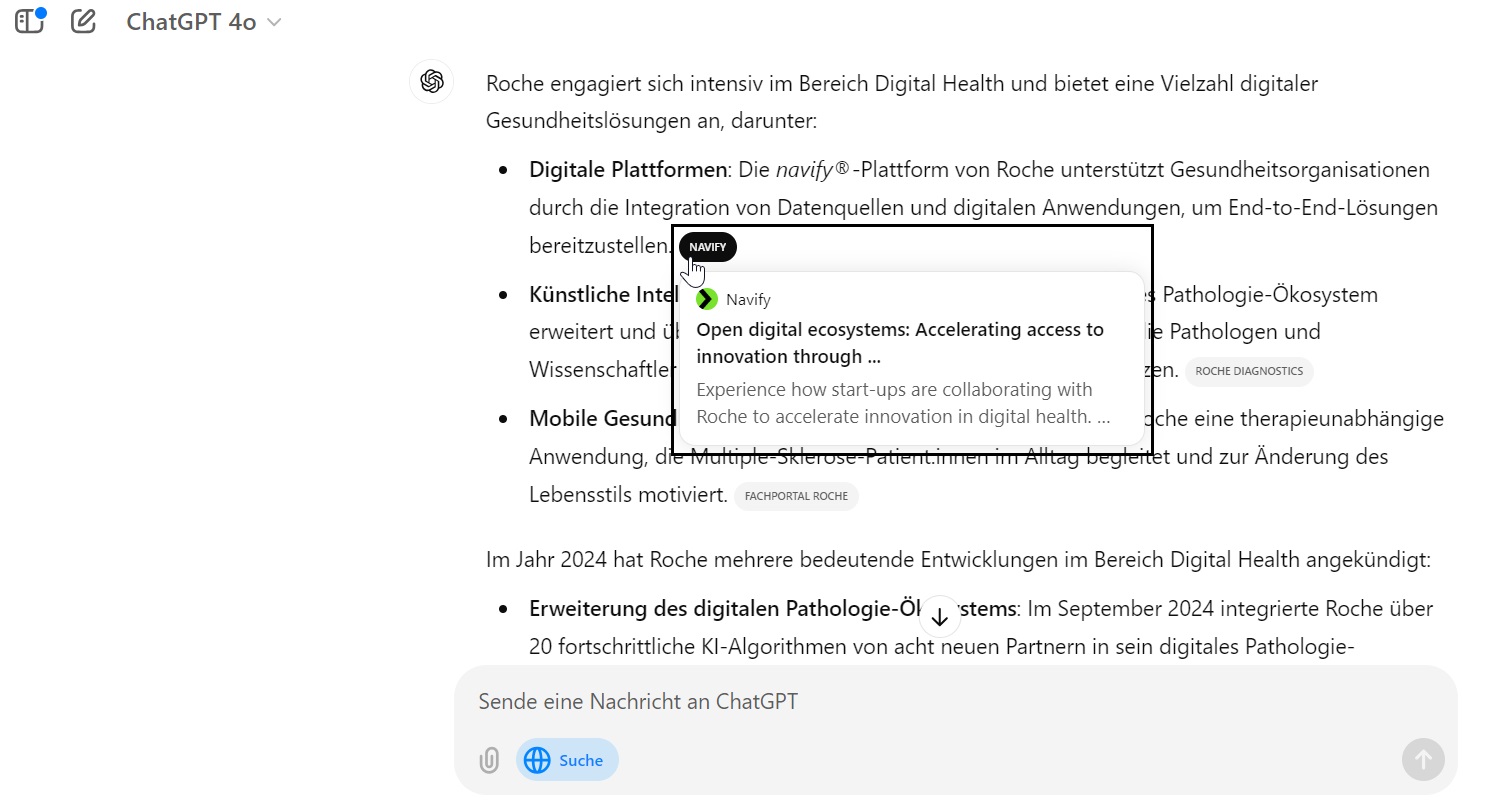
Step 2: Look at the sources from which the information comes. The relevant articles from which ChatGPT extracts the information are directly linked.
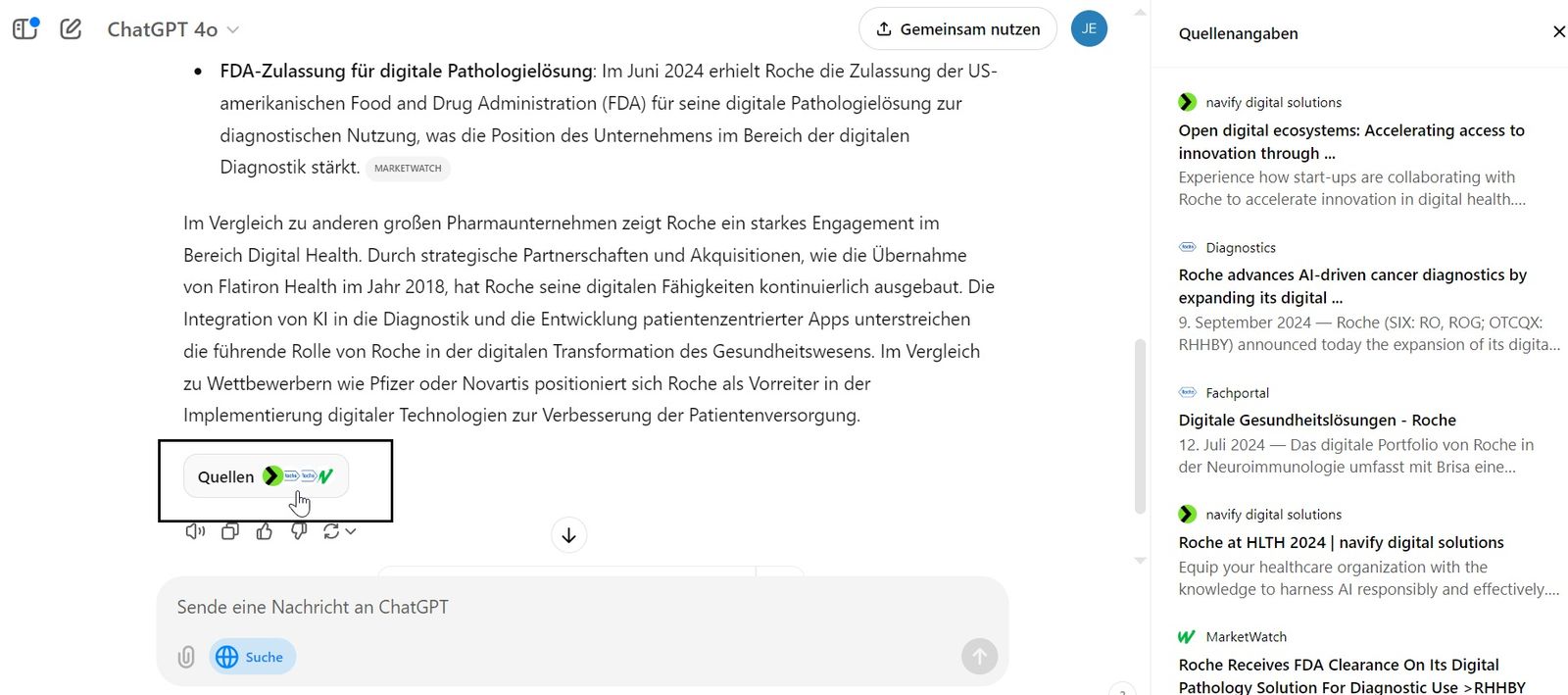
Step 3: Activate the sidebar with all source citations to get an even faster overview of all relevant information.
Example 2: Consulting
A client asks about current market trends. With ChatGPT with Search, you can retrieve relevant data and statistics in real-time without leaving the chat. The automatic source citation increases your credibility.
How to use the feature optimally
Step-by-step guide
- Ask precise questions about your research topic
- Use follow-up questions to deepen details
- Check sources via the Sources button
- Save relevant information directly from the chat
Exercise 1: Basic research
Search for the latest developments in your industry. Ask various follow-up questions to get familiar with the context function.
Exercise 2: Complex analysis
Research market data and trends for a specific product. Combine text information with images and geographic data.
Power user tips
- Use specific time references for current information
- Combine different subject areas for more comprehensive analyses
- Verify important information via the Sources button
- Note the currency of sources, the system can find articles from the last hour
- Use automatic and manual search as needed
- For breaking news: check multiple sources in the Sources section
What's next?
- Expansion of search functions for shopping and travel
- Integration with Advanced Voice Mode
- Integration with Canvas features
- Broader access for free users in the coming months
- Personalized search (in the coming quarters): long-term memory, contextual memories
Challenges and limitations
- Like all AI language models, ChatGPT can still make mistakes or invent information
- Quality of answers depends on source filtering
- Potential impact on the digital economy through changed user flows
- Higher energy consumption compared to traditional search engines
Important to know: Energy consumption
An interesting aspect you should consider: According to a Goldman Sachs report, a single ChatGPT search query uses about ten times as much electricity as a standard Google search. OpenAI CEO Sam Altman has already addressed this increased energy demand and emphasized the need for breakthroughs in clean energy.
Conclusion
ChatGPT with Search is more than just an update, it's a game-changer for your daily work. The feature combines the strengths of ChatGPT with current web content and eliminates time-consuming multiple searches. Take the opportunity to optimize your research processes and gain an edge on the job.
Further resources
- ChatGPT Plus subscription: chatgpt.com
- OpenAI blog for updates
- Official documentation and tutorials
- Search Engine Journal articles
- MIT Technology Review
Tip: Start with the exercises today and integrate ChatGPT with Search into your next workday. The sooner you get familiar with the feature, the greater your advantage will be.
Ready to boost your productivity?
At AI Guru, you'll learn how to optimally use AI tools like ChatGPT Search and save several hours per week.
Learn more